
Looking for an effective shopify category prompt to optimize your store? Your Shopify collection page ranks, Google Search Console shows thousands of impressions, clicks look healthy, and GA4 confirms visitors are arriving. Then they leave without purchasing.
This is one of the most common and expensive problems in Shopify SEO: category pages that attract traffic but don’t convert it into buyers. The cause is rarely the products. More often it’s an intent mismatch. The page was optimized to rank for a keyword, but it doesn’t give the person behind that keyword what they came for.
Someone searching “best trail running shoes for wide feet” wants guidance and a shortlist. Someone searching “Hoka Speedgoat 5 wide” wants to buy one specific product right away. Someone searching “trail running shoes” may still be comparing options. If your collection page treats all three the same way, with a generic 300-word SEO block under 48 unsorted products, you lose most of them.
This guide gives you a production-ready Claude prompt that works through your collection page the way an experienced CRO-minded SEO consultant would. It diagnoses the search intent behind your traffic, finds the conversion friction, and rewrites the page’s metadata, copy, merchandising, and FAQ content so that ranking and revenue support each other.
Why This Prompt Works
Most “write me an SEO collection description” prompts fail because they ask the AI to write before it understands the problem. This prompt follows a diagnose, then prescribe, then produce structure that suits Anthropic Claude’s strengths in long-context reasoning and careful instruction-following.
1. It uses XML tags to separate data from instructions
Anthropic recommends XML-style tags such as <collection_data> and <search_data> for structuring prompts. Claude handles this format well. The tags keep your raw store data clearly separate from the task instructions. That reduces confusion and lets you paste large exports, such as GSC query lists or product feeds, without derailing the output.
2. It forces intent analysis before copywriting
The prompt makes Claude classify your real ranking queries by intent (transactional, commercial investigation, informational, or navigational) before it writes anything. Every recommendation that follows is tied to what your visitors actually want, not to a generic keyword.
3. It treats conversion as part of SEO
The prompt asks Claude to audit friction points such as above-the-fold content, sort order, filters, trust signals, and CTAs. It also asks for merchandising recommendations alongside the copy. Search intent optimization covers more than text. It is the whole experience a visitor lands on.
4. It works within Shopify’s constraints
Shopify collections have specific limits: one description field by default, theme-dependent layouts, and metafields for extra content. The prompt tells Claude to respect these, so the output is something you can implement instead of theory.
5. It prevents hallucinated claims
The prompt explicitly forbids inventing reviews, guarantees, shipping policies, or product specs. It also asks Claude to flag its assumptions. That matters for e-commerce, where a made-up “free returns” claim becomes a customer service and legal problem.
The Master Prompt
Copy the full prompt below into Claude (Claude Sonnet or Opus is recommended for best results). Replace every bracketed placeholder with your store’s data. The more real data you provide, the sharper the output.
You are a senior e-commerce SEO strategist and conversion rate optimization (CRO) specialist with deep expertise in Shopify. You have optimized hundreds of Shopify collection pages so that they rank for the right queries AND convert the visitors those queries bring in. You think like a buyer first and a search engine second.
Your task is to diagnose why a Shopify collection (category) page attracts traffic but fails to convert, determine the true search intent behind its traffic, and produce a complete, implementation-ready optimization plan and rewritten page content.
Read all of the data below carefully before you respond.
Store name: [STORE NAME]
Niche / what we sell: [e.g., sustainable activewear for women]
Target customer: [e.g., women 25-45, eco-conscious, mid-to-premium budget]<br>
Brand voice: [e.g., warm, confident, expert but not preachy]
Price range on this collection: [e.g., $45-$140]
Verified store policies (ONLY use these, do not invent others): [e.g., free shipping over $75, 30-day returns, 4.8/5 from 2,300 reviews on Judge.me]<br>
Main competitors ranking for our keywords: [e.g., Girlfriend Collective, Lululemon, Outdoor Voices]

Collection URL: [e.g., /collections/high-waisted-leggings]<br>
Current collection title / H1: [PASTE]
Current meta title: [PASTE]
Current meta description: [PASTE]
Current collection description (full text): [PASTE]
Number of products in collection: [NUMBER]
Current default sort order: [e.g., Featured / Best selling / Newest]
Filters currently available: [e.g., Size, Color, Price]
Top products in this collection (name, price, key differentiator, review count if available):
[PASTE LIST]
Theme layout notes: [e.g., description shows above products and pushes the grid below the fold on mobile; no metafield section below products yet]
</collection_data>
Primary target keyword: [KEYWORD]
Top queries driving traffic from Google Search Console (query, clicks, impressions, CTR, average position):
[PASTE TOP 15-30 QUERIES]
</search_data>
<p><performance_data><br>
Monthly sessions to this collection: [NUMBER]<br>
Collection-to-product click-through rate: [PERCENT, if known]<br>
Bounce or engagement rate: [PERCENT]<br>
Conversion rate for sessions landing here: [PERCENT]<br>
Store average conversion rate: [PERCENT]<br>
Device split: [e.g., 72% mobile / 28% desktop]<br>
Any qualitative insights (heatmaps, session recordings, customer questions, reviews): [PASTE OR "None"]<br>
</performance_data></p>
<p>Complete the following steps in order.</p>
<p>STEP 1: SEARCH INTENT DIAGNOSIS<br>
- Group the queries in <search_data> into intent clusters: Transactional, Commercial Investigation, Informational, and Navigational.<br>
- Estimate what share of traffic each cluster represents, based on clicks.<br>
- Identify the DOMINANT intent and any important secondary intents.<br>
- Describe in plain language what a visitor from each major cluster is trying to accomplish and what they need to see within the first 5 seconds to keep going.<br>
- Explicitly state any intent mismatch between what the page currently delivers and what visitors want.</p>
<p>STEP 2: CONVERSION FRICTION AUDIT<br>
Using all data provided, identify the top 5-7 reasons this page is likely failing to convert. Consider:<br>
- Above-the-fold experience (especially on mobile)<br>
- Whether the H1 and intro confirm the visitor is in the right place<br>
- Product sort order and whether the best-fit products appear first<br>
- Missing or unhelpful filters for this intent<br>
- Missing trust signals, social proof, or risk reducers<br>
- Lack of decision support for comparison-stage shoppers<br>
- Weak or absent internal links to sub-collections or guides<br>
Rank the issues by estimated impact (High / Medium / Low) and justify each one briefly.</p>
<p>STEP 3: OPTIMIZED PAGE ELEMENTS<br>
Produce ready-to-paste content for each element below.</p>
<p>A) Meta title: 3 options, each under 60 characters, front-loading the primary keyword and matching the dominant intent.<br>
B) Meta description: 3 options, each 140-155 characters, including a benefit, a verified differentiator, and an implicit call to action.<br>
C) H1: 1 recommended H1, plus 1 alternative.<br>
D) Above-the-fold intro: 40-60 words. It must confirm relevance, state a core value proposition, and reference one verified trust signal. It must be short enough not to push products below the fold on mobile.<br>
E) Merchandising recommendations:<br>
   - Recommended default sort order and why<br>
   - Which 4-8 products should be pinned to the top, in what order, and why (based on intent)<br>
   - Filters to add, remove, or rename, using the language shoppers actually use in the search queries<br>
   - Any sub-collections that should be created to capture distinct intent clusters<br>
F) Below-the-grid content (for a metafield or theme section placed AFTER the products):<br>
- A scannable buying guide of 300-500 words with H2/H3 subheadings, written to help commercial-investigation</p>Example Output: What to Expect
Intent mismatches:
- The intro is generic (“best… perfect for you… many colors and sizes”). It confirms nothing about sustainability, pockets, compression, or staying put.
- The filters (Size, Color, Price) don’t match how people search (pockets, compression, doesn’t roll). The heatmap shows abandonment at the filter menu.
- Squat-proof is a recurring customer-service question, but the collection page doesn’t answer it.
- The head term underperforms (3.3% CTR) while the specific queries earn 9-13%, so the search listing is generic while the specific queries match well.
Conversion friction audit
STEP 1: Search intent diagnosis
| Cluster | Queries | Clicks | Share |
|---|---|---|---|
| Transactional (ready to shop the category or a feature) | “high waisted leggings”; “…with pockets” | 210 | 62.7% |
| Commercial investigation (comparing, qualifying by value or problem) | “sustainable high waisted leggings”; “best…that don’t roll down” | 125 | 37.3% |
| Informational | none in the top queries | 0 | 0% |
| Navigational | none in the top queries | 0 | 0% |
STEP 2: Conversion friction audit
| # | Issue | Impact | Why |
|---|---|---|---|
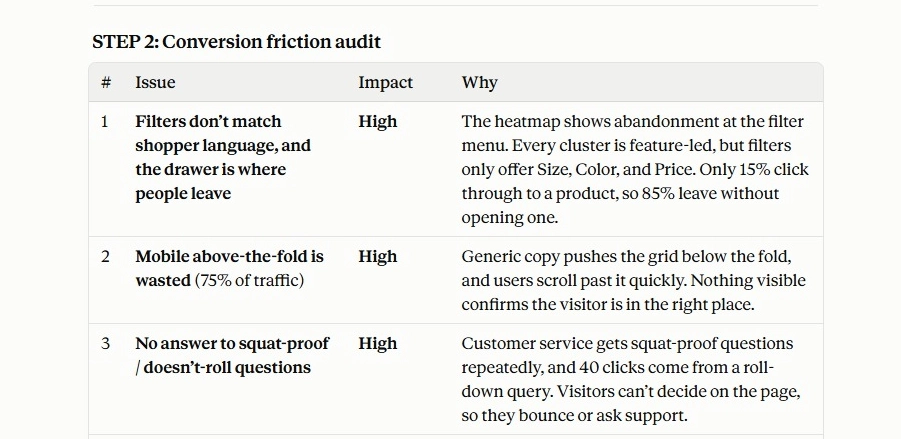
| 1 | Filters don’t match shopper language, and the drawer is where people leave | High | The heatmap shows abandonment at the filter menu. Every cluster is feature-led, but filters only offer Size, Color, and Price. Only 15% click through to a product, so 85% leave without opening one. |
| 2 | Mobile above-the-fold is wasted (75% of traffic) | High | Generic copy pushes the grid below the fold, and users scroll past it quickly. Nothing visible confirms the visitor is in the right place. |
| 3 | No answer to squat-proof / doesn’t-roll questions | High | Customer service gets squat-proof questions repeatedly, and 40 clicks come from a roll-down query. Visitors can’t decide on the page, so they bounce or ask support. |
| 4 | Trust and risk reducers aren’t surfaced | Medium-High | The 4.8/5 from 2,300 reviews, 30-day returns, and the free-shipping threshold aren’t in the page copy provided. A mid-to-premium purchase ($45-$120) needs these near the grid. |
| 5 | No comparison support or sub-collection routing | Medium | There’s no buying guide (the theme has no metafield section) and no links to pockets or squat-proof pages. Comparison shoppers have nowhere to go. |
| 6 | Merchandising isn’t tied to intent | Medium | “Best selling” already surfaces Compress & Lift, CloudSoft, and Pocket Trail, so it’s not broken. But the pocket cluster (60 clicks) isn’t prioritized, and nothing signals which product solves which problem. |
| 7 | Weak SERP listing on the head term | Medium | The meta description ends in a generic “Shop now!”, and the head term sits at pos 8.2 with 3.3% CTR. Each +1 point of CTR on 4,500 impressions is about 45 clicks. |
Scale of the gap: 4,500 sessions at 0.8% is about 36 orders a month. At the 2.2% store average it would be about 99, a gap of roughly 63 orders.